Introduction to Discord - Friends, Communities, & Gaming
As a seasoned technology reviewer with years of experience trying out various communication apps, Discord has always stood out from the crowd. Initially designed for gamers who wanted an efficient way to communicate during competitive play, the app has grown into a robust platform that now caters to a diverse audience. This review takes an in-depth look at Discord’s capabilities, usability, and the overall experience it provides across different contexts. Whether you are a gamer looking to play with friends or a community enthusiast seeking to connect over shared interests, Discord offers an array of features that make it a well-rounded tool for communication and community building.
Exploring the Core Features of Discord
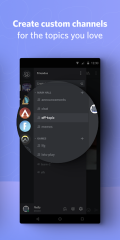
One of the standout aspects of Discord is its extensive range of features. The app allows users to engage in real-time voice, text, and video communications. From dedicated gaming communities to casual chat rooms, Discord is engineered to be a versatile hub for anyone aiming to connect digitally. Among its notable features, users can create private servers to collaborate with friends, join public communities to share interests, and even set up channels that are organized by specific topics such as art, music, or general discussion.
Discord’s design provides room for customization, making it ideal for groups with specific interaction needs. Users have the flexibility to modify settings enabling them to manage notifications, privacy, and security seamlessly. The app’s integration with various platforms further enhances its usability. Whether you are on a mobile device or a desktop, each channel is optimized for a smooth communication experience. If you choose to install Discord on your device, you will appreciate the seamless interface that allows you to navigate between different servers effortlessly.
A Closer Look at the User Experience
The user experience on Discord is both intuitive and engaging. The layout is designed with ease of access in mind: servers are neatly organized on the left side of the screen, while conversations and voice chat windows are prioritized in the center. This arrangement lets newcomers quickly adapt to the interface even if they have just downloaded and installed the app. For seasoned users, the quality and consistency of the UI across various devices remain impressive. The app remains frequently updated with bug fixes and performance improvements, thus ensuring that its diverse features function without interruptions.
For anyone intrigued by the idea of a free yet multifaceted platform, Discord provides a complete solution. Its popularity among gamers is not just because of its voice and video chat capabilities but also because of its support for communities built on common interests. Many users have noted that one of the best aspects of the app is its ability to facilitate both small group interactions and large community engagements. This flexibility makes the platform accessible to different types of users and social dynamics.
Performance and Reliability on Different Platforms
Discord's performance is another factor that impressed both casual users and committed gamers. Regardless of whether you install the app on your smartphone or access the desktop version, the performance remains robust. The cross-platform compatibility means you can seamlessly switch between desktop and mobile without losing any functionality. The application has been optimized to work well on Android, iOS, Windows, Mac, and even Chromebooks, ensuring that no matter which devices you use, there is a consistent and reliable experience waiting for you. This versatility is particularly appealing for those who want the convenience of a secure and stable communication tool on all their devices.
The download size of Discord is reasonable, especially given its extensive features. Throughout its iterations, the developers have managed to maintain a balance between functionality and performance. Updates are rolled out continuously, ensuring that the app stays compatible with the latest operating systems and devices. In an era when applications are measured not just by how many features they offer but by how reliably they perform, Discord excels on both fronts.
The Social Aspect and Community-Building Potential
At its core, Discord is a bridge that connects individuals from diverse backgrounds. What sets it apart is its power to bring together users who share similar interests, whether that is for gaming, studying, or professional networking. The ability to create and join communities means that the app allows for a sense of belonging that is tailored to niche groups. On Discord, users can build communities around hobbies, fandoms, or even educational subjects, making it a powerful online space for networking and socializing.
The app also features an impressive moderation system, enabling admins to create secure environments for discussions. This ensures that the conversation remains respectful and constructive. In large communities where multiple topics may be discussed simultaneously, the ability to segment conversations into individual channels proves invaluable. Discord’s integration with other social media platforms further enhances its community-building power, making it easier for users to bring conversations from other spaces into one consolidated area of discussion.
Privacy and Security Aspects
Privacy and security are paramount in today's digital age, and Discord does an admirable job of providing options that allow users to control their information. With customizable privacy settings, users can decide who sees their content and how they interact with various communities. The platform employs encryption for voice and video calls, a feature that adds a layer of security for private conversations. Moreover, the app’s moderation tools are designed to handle unwanted behavior, ensuring that community guidelines and policies are adhered to with diligence.
Another important aspect of Discord’s functionality is its policy on data. Users are often assured that their information remains under strict privacy controls, and the platform is transparent when it comes to data collection practices. This emphasis on security extends to every facet of the app, making it a reliable option for both casual and intensive users. As many users now seek platforms that offer unblocked access in environments like school or work networks, Discord’s commitment to maintaining secure connections is particularly noteworthy.
Integration with Gaming and Beyond
For many, Discord remains synonymous with gaming. The app is engineered to optimize the gaming experience with low-latency communication and minimal resource usage, ensuring that players can continue to engage without technical interruptions. However, its appeal goes beyond gaming, as its user base has diversified significantly over the years. Now, numerous communities use Discord purely for social and professional engagements. The integration with various gaming services and platforms is seamless, allowing users to track game statuses, join game lobbies, and even receive notifications regarding new game releases or community events.
For users who prefer to connect on multiple levels, the app’s ability to support various interactions makes it a standout tool in the current digital landscape. Whether you play competitively on PC or casually on mobile, Discord provides the necessary tools to support your gaming routines while also allowing broader interactions that extend beyond just play.
Exploring Unique Customization and Bot Integration
One of the most innovative aspects of Discord is its support for extensive customization. Users have the ability to integrate a wide range of bots that add extra functionalities to their servers. These additions can range from music bots that allow you to play songs during long gaming sessions to moderation bots that help manage large communities efficiently. For power users, these integrations enhance both the utility and fun factor of the platform, making each server a personalized environment tailored to its community’s needs.
The customization options extend to personalized channels where members can opt for different themes, readjust settings, or incorporate specialized plugins. This flexibility is enhanced by robust APIs that allow developers to create custom solutions for their communities. With features that go far beyond the basics, Discord offers an environment where both casual and advanced users can tailor their experience precisely. It’s not just an app that you download and install, but a platform that grows alongside its diverse user community.
Accessibility and Global Reach
Discord’s success is partly rooted in its accessibility. The application is designed to work on multiple devices without compromising performance. This adaptability is especially beneficial for users around the world who rely on stable communication tools in varied internet conditions. Whether you use the app on mobile or desktop, the underlying framework ensures that conversations remain fluid and connectivity issues minimal. The unblocked nature of Discord in many networks further solidifies its reputation as a trusted communication tool in several regions.
In addition to its broad platform support, Discord has also taken steps to ensure that its interface is accessible to users of varying technical abilities. The learning curve is relatively shallow, and the support resources provided by the company are thorough. This makes it a welcoming space not just for tech-savvy gamers but also for newcomers who might be less experienced with digital communication tools.
Advanced Communication Tools and Their Impact
Discord’s advanced communication modules are designed to meet the demands of modern digital interaction. The app's seamless voice, text, and video integration offers an experience that rivals many dedicated communication services. For professionals and community managers, the live voice channels and video conferencing capabilities provide invaluable tools for real-time collaboration. Whether you need to schedule a meeting with a remote team or simply catch up with friends, Discord’s efficient workflow ensures that every communication is hassle-free.
This desktop and mobile synergy means that the transition from one device to another is smooth and system updates are applied consistently across all supported platforms. The continuous evolution of communication tools within Discord – such as screen sharing, file transfers, and threaded messages – only further enriches its overall feature set. These innovations have fostered a loyal community of users who appreciate the high level of versatility and functionality inherent in the platform.
Integration with Third-Party Applications and Services
Another highlight of the Discord experience is its smooth integration with third-party applications. Many users appreciate its compatibility with social media networks and gaming services. For example, linking your gaming account to the app can enhance multiplayer experiences by synchronizing game statuses with real-time chats. The ability to integrate an apk version on Android devices further broadens the scope of how users can access and play within the Discord environment.
Discord’s open ecosystem encourages developers to create new tools and add-ons that further enhance its capabilities. These integrations allow for real-time updates on game tournaments and other events, making the platform an indispensable hub for both community organizations and individual users. In essence, Discord stands out as an adaptable tool that meets the ever-changing demands of a highly connected digital world.
Final Thoughts on the Value of Discord
In conclusion, Discord - Friends, Communities, & Gaming represents a milestone in the evolution of communication apps. Its comprehensive suite of features, performance across various platforms, and expansive customization options make it a go-to tool for users ranging from avid gamers to professional networking groups. The simplicity of its user interface belies the depth of its functionality, providing an experience that is at once both accessible and robust. Every aspect of Discord, from its voice and text channels to its powerful integrations, underscores the app’s commitment to enhancing digital communication.
The continuous stream of updates and improvements ensures that Discord remains contemporaneous in an ever-evolving tech landscape. Each feature is thoughtfully integrated to facilitate seamless and immersive interactions. Whether one opts to download the application for its free tier, explore the benefits of community-specific servers, or experiment with its various features on different platforms, Discord satisfies a wide circle of modern communication needs. The path from downloading and installing the app to engaging in diverse communities is straightforward, making it a strong recommendation for anyone looking to build connections or cultivate new interests online.
From real-time gaming voice chats to in-depth community discussions, Discord is poised as a versatile hub that brings digital interaction to life. The overall robustness, user-friendly design, and breadth of advanced tools give it an edge over many contemporaries in the market. For anyone looking to experience a reliable, feature-rich communication platform, giving Discord a try is a decision that promises both satisfaction and continuous innovation.
How Discord Excels in a Dynamic Digital World
Discord not only meets the needs of today’s gamers but also evolves to serve a broader audience. Its value is seen in its ability to adapt to user requirements, ensuring that updates and new integrations remain at the forefront of digital communication trends.
The platform’s flexibility makes it possible for various niche communities to thrive by offering unblocked access in numerous settings, including environments that might impose restrictions on digital communications. The ease of use when downloading and installing the app, whether from an official website or via an apk for Android devices, means that users can get started with minimal effort. Ultimately, the enduring appeal of Discord lies in its promise to maintain connectivity – no matter the platform or device.
How to Download and Install Discord - Friends, Communities, & Gaming
Discord is available as a free application that can be downloaded from official channels, including the App Store for iOS devices, the Google Play Store for Android, and the official website for Windows, Mac, and Chromebook users. The installation process is quick and user-friendly; simply visit the appropriate store or website and follow step-by-step instructions to install the app. Basic system requirements for Android and iOS typically include a recent OS version and a device with standard compatibility for modern applications. An apk version of Discord is also available from trusted sources, ensuring that users have secure and reliable access to the latest update. In many restricted environments like school or work networks, Discord is known to provide unblocked access, although accessibility can vary depending on local policies.